> ## Documentation Index
> Fetch the complete documentation index at: https://docs.k9traininglog.com/llms.txt
> Use this file to discover all available pages before exploring further.

# Export handler training hours log sheet

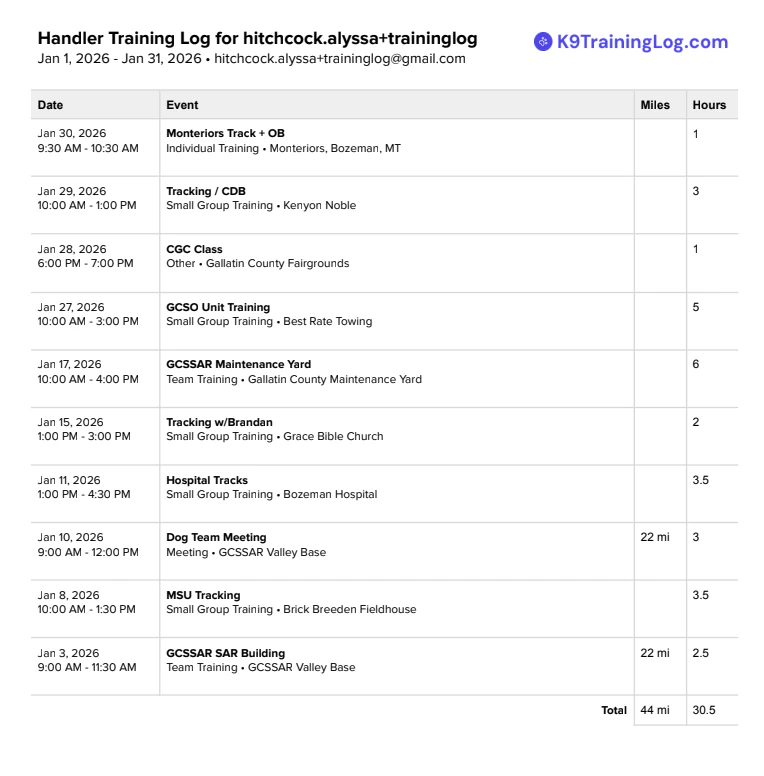
Easily export a spreadsheet of all of your training events to document handler hours.

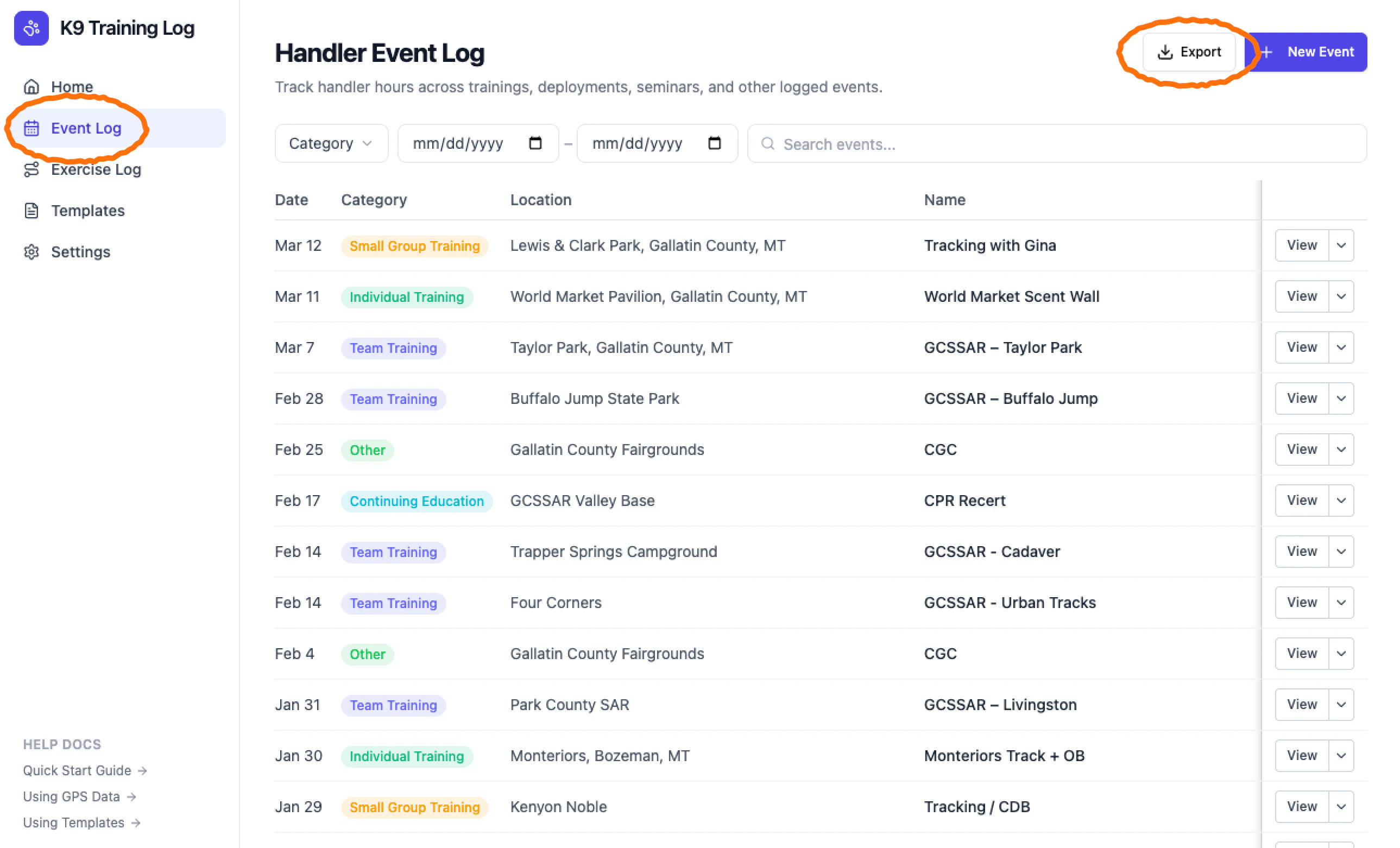
1. Open the **Event Log** and click **Export**
   <Frame>
     <img src="https://mintcdn.com/k9traininglog/DvMfUkTSgQ0IHNyf/images/image-65.png?fit=max&auto=format&n=DvMfUkTSgQ0IHNyf&q=85&s=226ccb184060d11b5cd0dc2152b0eb88" alt="Image" width="2578" height="1562" data-path="images/image-65.png" />
   </Frame>
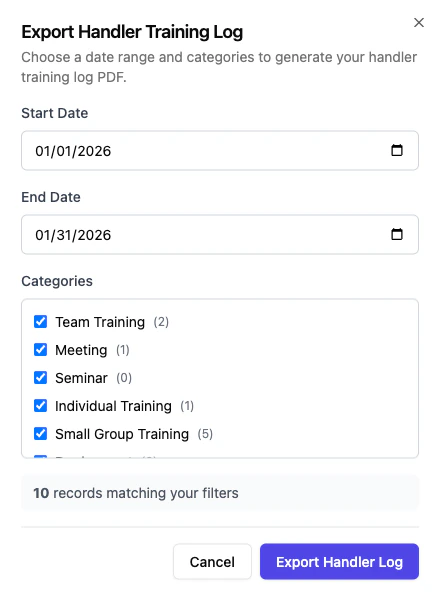
2. Enter a date range, select what events should be included, and click **Export**
   <Frame>
     <img src="https://mintcdn.com/k9traininglog/DvMfUkTSgQ0IHNyf/images/image-66.png?fit=max&auto=format&n=DvMfUkTSgQ0IHNyf&q=85&s=9bd0e4f340b30debc20dc962313f43ae" alt="Image" title="Image" className="mx-auto" style={{ width:"67%" }} width="440" height="600" data-path="images/image-66.png" />
   </Frame>
3. A PDF will be emailed to your account email address, for your records.
   <Frame>
     <img src="https://mintcdn.com/k9traininglog/DvMfUkTSgQ0IHNyf/images/image-67.png?fit=max&auto=format&n=DvMfUkTSgQ0IHNyf&q=85&s=6370a253646659e49612da9271eeb498" alt="Image" title="Image" className="mx-auto" style={{ width:"90%" }} width="764" height="776" data-path="images/image-67.png" />
   </Frame>
